How to Choose the Best IP Phones for a Growing Business in 2026
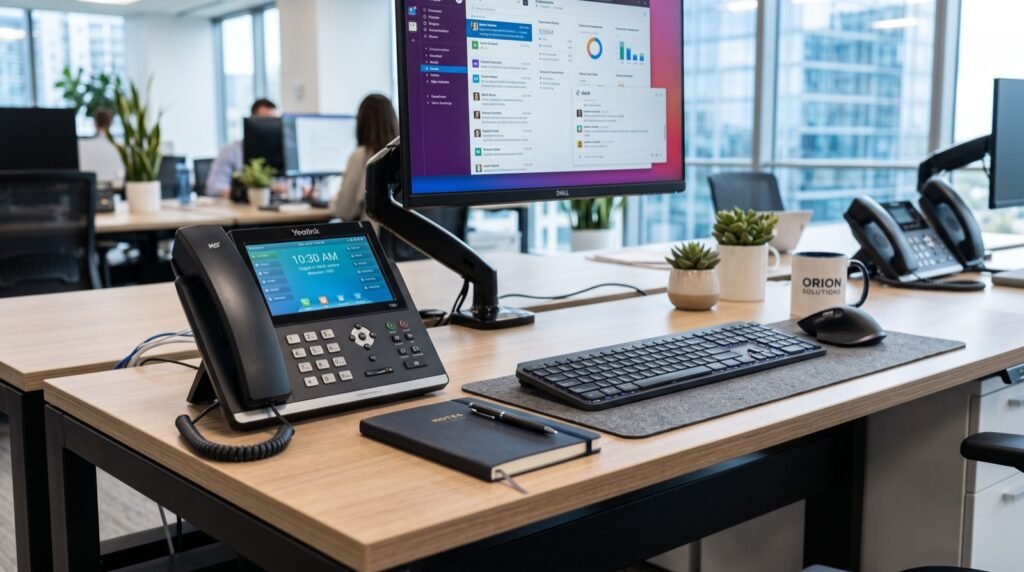
Choosing the right desk phone used to be simple. You picked a handset, plugged it into the wall, and moved on. In 2026, the decision looks very different. Cloud calling, hybrid teams, and video-first meetings have turned the humble office phone into a connected endpoint that carries voice, video, and data together. Picking the best IP phones for your team now shapes how well your whole communication stack performs.
This guide walks you through the practical decisions that matter. We focus on real buying criteria, not marketing gloss, so you can match hardware to how your people actually work.
Why IP Phones Still Matter in a Cloud-First World
Some managers assume softphones on laptops have replaced desk phones entirely. In practice, dedicated hardware still wins for reliability, call quality, and comfort during long shifts. A physical handset does not drain a laptop battery or compete with twelve browser tabs for processing power.
IP phones convert your voice into data packets and send them over your network using SIP, the Session Initiation Protocol. Because they ride on the same infrastructure as the rest of your systems, they cut line-rental costs and scale far more easily than legacy PBX handsets.
Front desks, call centres, warehouses, and reception areas all benefit from a device that simply works when someone picks it up. That dependability is why hardware demand keeps climbing even as cloud platforms mature.
The Shift Toward Video-Capable Endpoints
The biggest change over the past two years is video at the desk. Teams no longer walk to a meeting room for a quick face-to-face call. A smart video phone with a built-in camera puts screen sharing and HD video right where people already sit, which shortens the gap between “quick question” and “let’s jump on a call.”
Key Features to Compare Before You Buy
Before you commit to a fleet of devices, weigh the features that affect daily use. The wrong spec choice becomes a daily annoyance multiplied across every employee.
- Audio quality: Look for HD voice and wideband codecs like G.722 for clearer calls.
- Display: Colour screens speed up navigation; touchscreens suit power users.
- Line keys: Reception and sales roles need many programmable keys for quick transfers.
- Power over Ethernet: PoE removes the need for extra adapters and tidies desks.
- Codec support and security: SRTP and TLS encryption protect calls from interception.
If you serve customers in Punjab and want a curated hardware line-up, the range of Best IP phones in Lahore gives a useful starting point for comparing enterprise and entry-level models side by side.
Matching Phone Types to Roles
No single phone suits every seat. A warehouse supervisor who moves constantly has completely different needs from a finance clerk anchored at one desk. Map devices to roles and you avoid overspending on features nobody uses.
| Role | Recommended Type | Why It Fits |
|---|---|---|
| Reception | Multi-line executive phone | Handles many simultaneous transfers |
| Sales agent | Colour-screen mid-range phone | Fast dialling and call logs |
| Warehouse staff | Portable Wi-Fi handset | Mobility across a large floor |
| Executive | Smart video phone | HD video and screen share at the desk |
| Hallway or lift | Compact SIP phone | Low cost for emergency points |
Mobility is often the deciding factor. Staff who roam a shop floor or a hospital ward cannot be tied to a cord. A device such as the Fanvil W610W keeps roaming workers reachable over Wi-Fi without a bulky headset or a second mobile line.
Planning for Growth
Buy for the team you will have in eighteen months, not just today. Programmable keys, expansion modules, and provisioning support let you add seats without swapping hardware. A little foresight here saves a painful re-purchase later.
How Do IP Phones Connect to Your Phone System?
IP phones register with a SIP server, either an on-premise PBX or a hosted cloud platform. Once registered, the phone sends and receives calls as data over your LAN and the wider internet. This is the same technology that powers modern VoIP services worldwide.
For reliable performance, prioritise voice traffic on your network using Quality of Service rules. According to the IETF SIP specification (RFC 3261), SIP handles session setup and teardown, while the actual audio travels over RTP. Understanding that split helps your IT team troubleshoot faster when a call sounds choppy.
Bandwidth planning matters too. A single HD voice call uses roughly 100 Kbps in each direction, so a busy office of fifty concurrent calls needs headroom on the uplink. Video pushes that figure higher, which is why many teams segment their network into voice and data VLANs.
Deployment Tips From the Field
After rolling out phones across dozens of offices, a few lessons repeat. First, test PoE budgets on your switches before ordering, because underpowered switches drop phones during peak load. Second, standardise firmware early so every device behaves the same.
Third, document your dial plan clearly. A working team relies on consistent extensions and predictable transfer behaviour, and that only happens when an experienced local team plans the numbering scheme before installation day. Guesswork at rollout creates support tickets for months.
- Audit your network switches and PoE capacity.
- Choose codecs and enable encryption on every endpoint.
- Provision phones in batches with a template configuration.
- Label handsets and record their MAC addresses.
- Train staff on transfers, hold, and conference features.
Frequently Asked Questions
What is the difference between an IP phone and a VoIP phone?
The terms are used interchangeably. Both send voice as data packets over an IP network using SIP. “IP phone” describes the hardware, while “VoIP” describes the underlying calling method.
Do I need special cabling for IP phones?
No. Standard Ethernet cabling works, and Power over Ethernet delivers both data and power over the same cable, so you rarely need extra outlets or adapters at the desk.
Can IP phones work with any cloud provider?
Most SIP-compliant phones work with any standards-based platform. Always confirm compatibility with your provider, and prefer devices that support auto-provisioning to speed up large deployments.
Are IP phones secure enough for business use?
Yes, when configured correctly. Enable TLS for signalling and SRTP for media, keep firmware current, and place voice traffic on a separate VLAN to reduce exposure.
Final Thoughts
The best IP phones for your business are the ones matched to how your people work, not the ones with the longest spec sheet. Start with roles, plan for growth, secure every endpoint, and test your network before rollout. Do that, and your team gets crisp, reliable calls from day one. Ready to upgrade your desks in 2026? Compare models by role and build a fleet that grows with you.